Run and track tests
Create test cases, execute test runs, and keep your testing results organized.
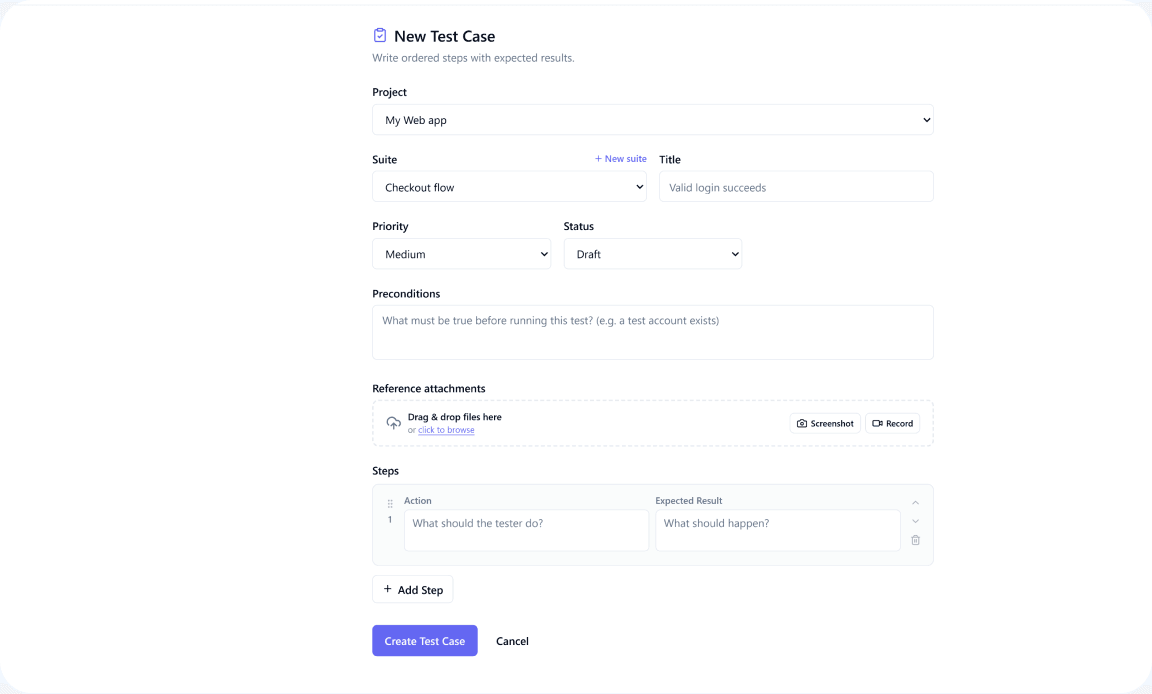
Capture bugs, run structured tests, and ship releases your team can actually trust.
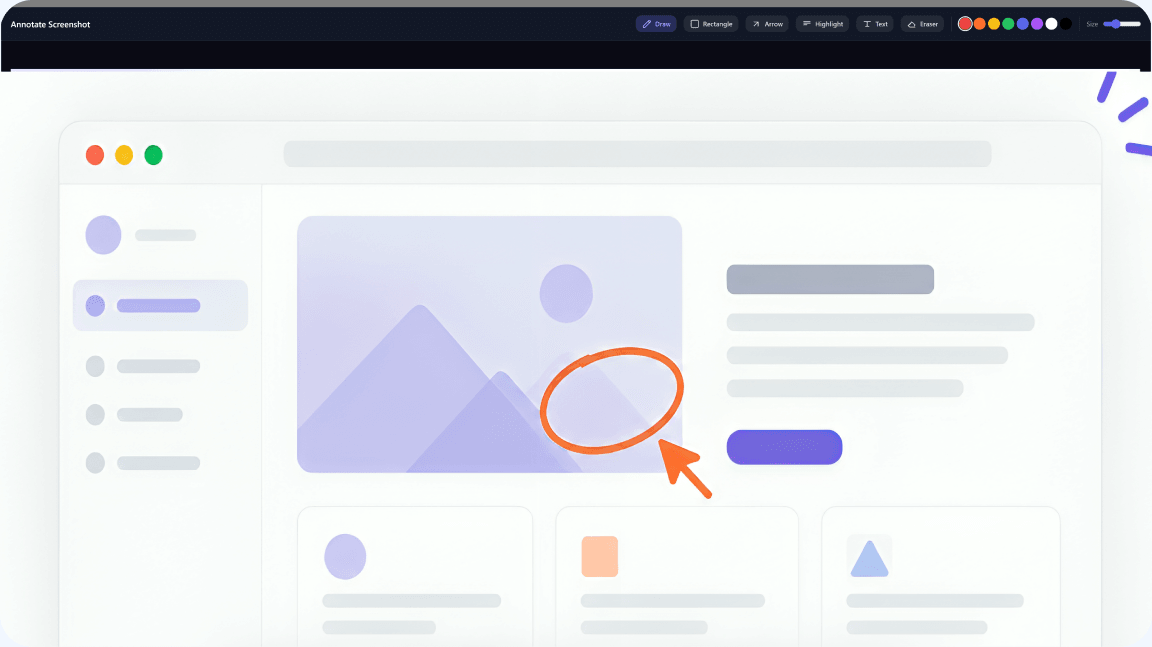
Take a screenshot or record your screen, add annotations, and show your team exactly what went wrong.
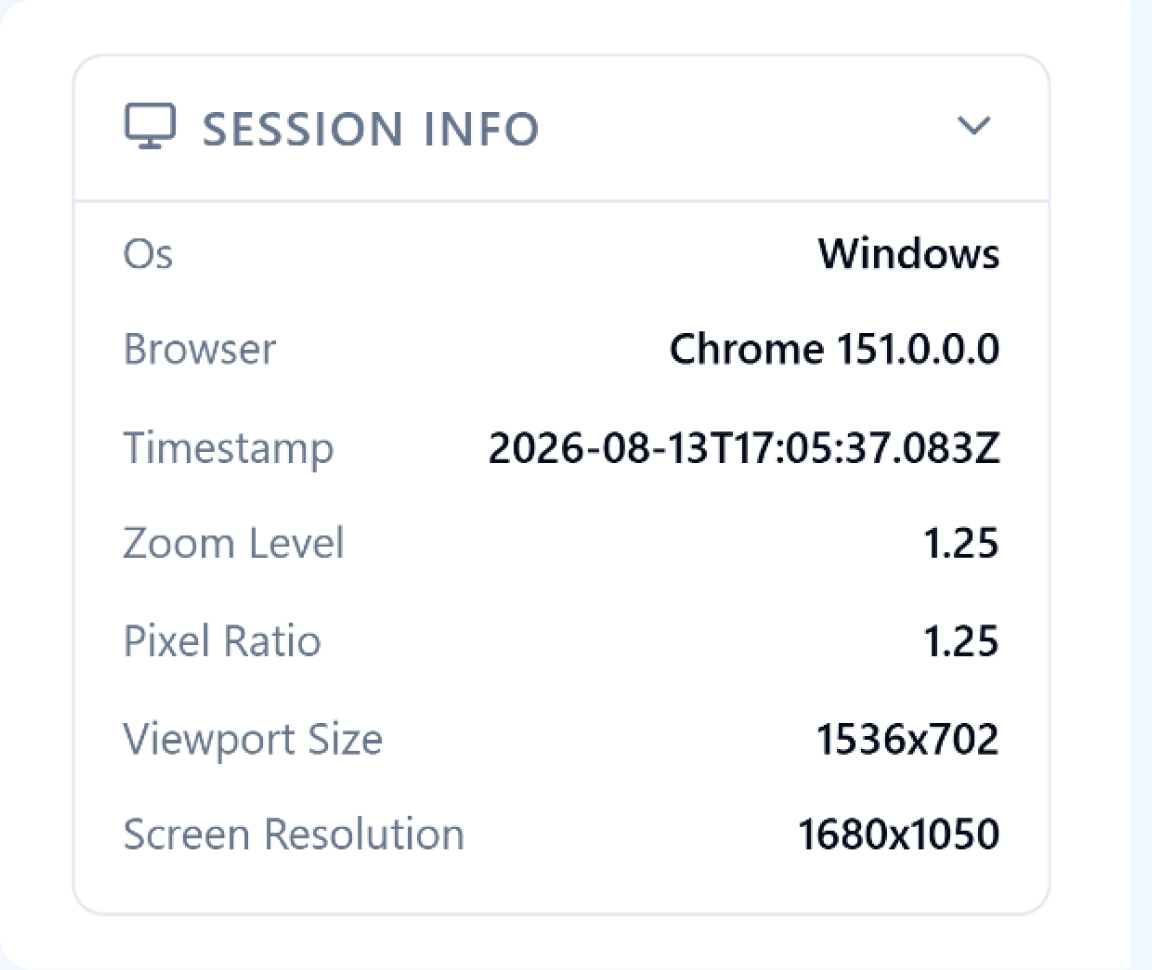
Browser, OS, screen size, URL, and other technical information are captured alongside the issue.
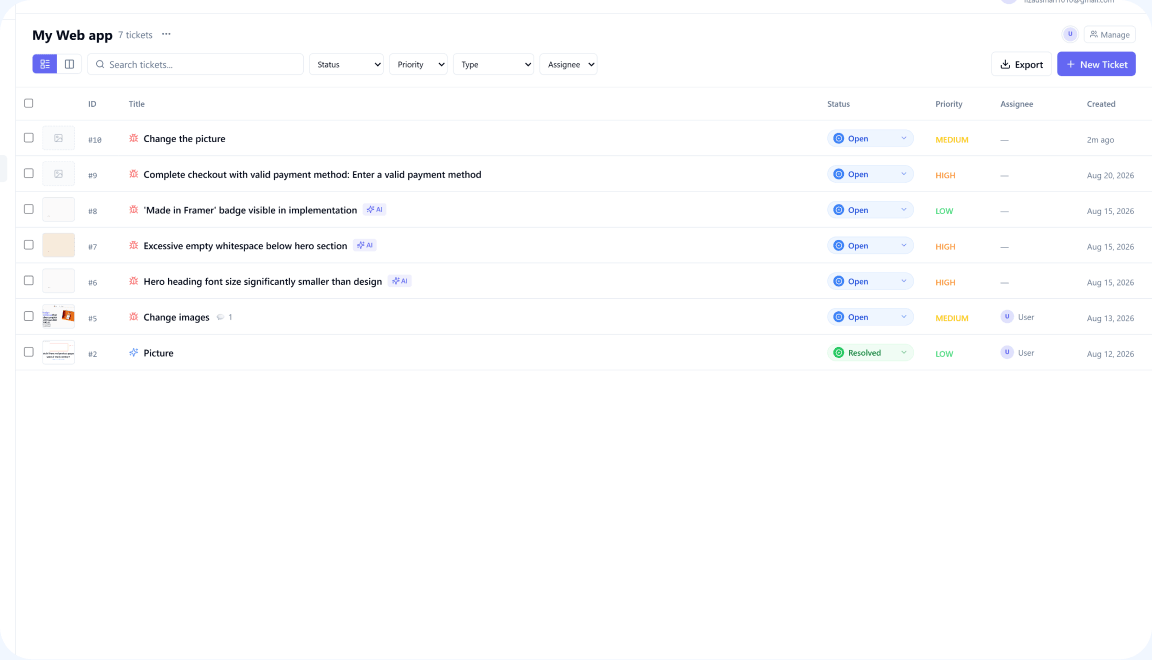
Assign issues, set priorities, track status, and keep everyone updated from one workspace.
Once a fix is ready, return to the original issue, verify it, and keep the complete history together.
Create test cases, execute test runs, and keep your testing results organized.
Screenshots, screen recordings, annotations, clicks, scrolls, and keypresses, capture the issue with all the context.
Browser, OS, screen size, URL, and more are attached to every report.
Assign, prioritize, filter, and track issues from report to resolution.
Turn visual feedback into actionable tasks and help your team resolve issues faster from day one.